Change your submitted project repository
This guide will show you how to change your submitted project repository, allowing you to repurpose your tile. This guide is suitable for any submission, but is especially useful for those looking to change their Wokwi submission.
Steps
- Navigate to your project on the Tiny Tapeout submission app. Click the “Change” button.
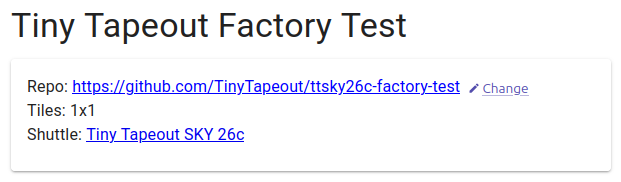
Change repo button available next to the repo URL
- You will be prompted to enter a new repo URL. Enter it and click the “Change Repo” button. Your repo must be based on one of our templates.
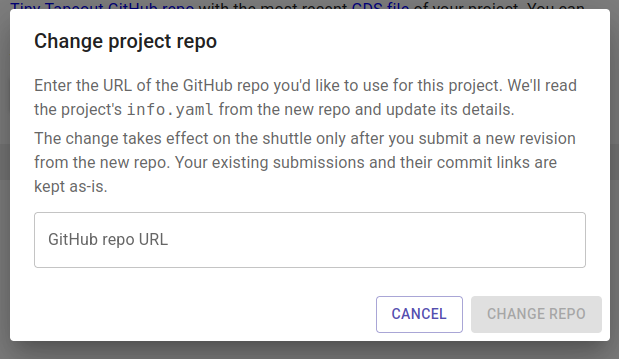
Enter a new repo URL prompt
- For the changes to take effect, you must submit a new revision. The project in the newly linked repository must have a passing GDS action. Click on the “Submit a new revision” button to automatically fetch the latest build.
You should now have a different repository submitted - happy building! Make sure to fill out the documentation so that others can learn and experiment with your design.
If you run into any issues, please let us know via our Discord. Our community can also help you troubleshoot any issues you are having with your submission.