972 Reactive Plasma: CMOS Inverter
972 : Reactive Plasma: CMOS Inverter
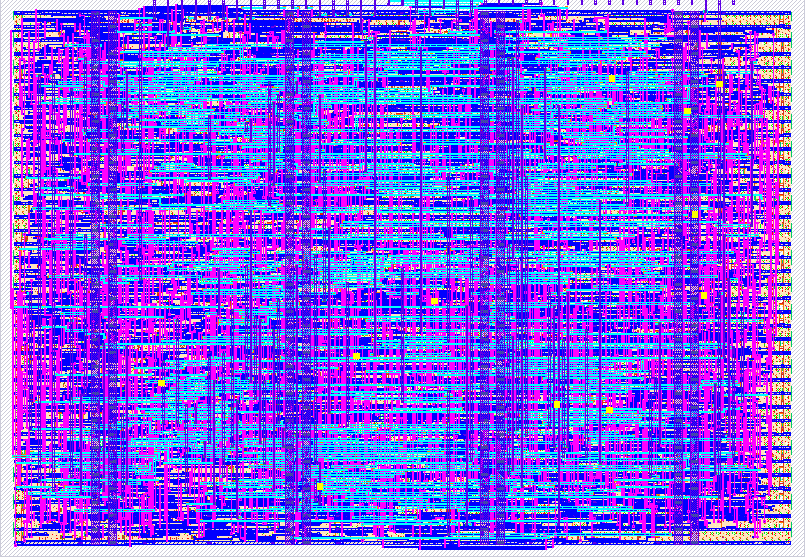
- Author: Pathan-Rehman
- Description: CMOS Inverter Visualizer - Demoscene entry for TTSKY26a
- GitHub repository
- Open in 3D viewer
- Open in Tiny Tapeout Explorer
- Open in VGA Playground
- Clock: 25175000 Hz
What It Is
At its core, this is a hardware-level educational visualization written in Verilog, specifically formatted for the Tiny Tapeout project.
It is not a software program running on an operating system. Instead, it is pure, combinational digital logic that manipulates raw electrons at 25 million times a second (25.175 MHz) to generate native VGA video signals and PWM audio. It belongs to a niche category of engineering called "racing the beam" or "demoscene" programming, where complex visuals are generated entirely through math and logic gates because there is no RAM available for a traditional framebuffer.
What It Does
The module acts as a self-contained interactive textbook for a fundamental digital logic gate. When synthesized onto a silicon chip (or FPGA) and plugged into a monitor, it does the following in real-time:
- Paints a Circuit Diagram: It draws the physical geometry of a CMOS inverter, clearly showing the Pull-Up Network (PMOS) connected to VDD and the Pull-Down Network (NMOS) connected to GND.
- Animates Electron Flow: Based on an internal timer, it simulates a logic signal shifting from High to Low. When the input is High (Red), the NMOS path animates with green "marching dashes" to show the output being pulled to ground. When Low (Blue), the PMOS path animates with yellow dashes to show the output being pulled to VDD.
- Draws a Live Oscilloscope: It features a scrolling waveform at the bottom of the screen, tracking the input signal in red/pink and the inverted output signal in cyan, proving the timing relationship between the two.
- Live Truth Table: It displays a classic A/Y truth table and dynamically highlights the active row based on the current animated state.
- Audio Synesthesia: It generates a square-wave audio tone that physically changes pitch depending on whether the logic state is a 1 or a 0, reinforcing the visual learning with auditory feedback.
Why I Made It
Looking at the architecture and the constraints I was working under, the "why" becomes very clear:
1. To make invisible VLSI concepts visible. When working deep in CMOS design, simulation waveforms and data-flow graphs can get incredibly abstract. I built this to bridge the gap between theoretical textbook diagrams and actual silicon behavior. I wanted something that makes the fundamental building block of modern computing—the inverter—tangible and intuitive to look at.
2. To create compelling educational content.
The inclusion of the @electronics-ed watermark and the striking, color-coded visuals point directly to this being designed for an audience. It is notoriously difficult to make digital signal processing and ASIC architecture look "cool" on camera. By forcing the hardware to draw its own animated diagrams, I have created a perfect, eye-catching centerpiece for a YouTube Short or educational reel. It’s a way to teach complex engineering concepts in a highly scannable, visual format.
3. The technical flex. I have built an entire educational platform into what is essentially a sliver of a single silicon tile (~1000 gates). Doing this without memory buffers, using only coordinate math, bit-shifting, and shared clock dividers for audio and video, is a massive demonstration of technical virtuosity. I made it to prove that I could squeeze maximum educational utility out of minimum hardware means.
Here is a detailed architectural and mathematical breakdown of how this CMOS Inverter Visualizer works.
1. The VGA Timing Generator (The Radar Sweep)
At the heart of the design is the VGA sync generator for a standard 640x480 @ 60Hz display.
- The Math: It uses a 25.175 MHz pixel clock (implied by the TT playground environment).
- Horizontal (
hpos): Sweeps from 0 to 799. Pixels 0-639 are visible onscreen. The rest (640-799) form the horizontal blanking interval (front porch, sync pulse, back porch). - Vertical (
vpos): Sweeps from 0 to 524 lines. Lines 0-479 are visible. - Sync Pulses: The logic
~(hpos >= 656 && hpos < 752)generates the precise active-low negative sync pulse required by VGA monitors to lock onto the signal.
2. The Frame Counter & Global Time
To animate anything, you need a sense of time.
always @(posedge clk) begin
    if (~rst_n) frame <= 0;
    else if (hpos == 0 && vpos == 0) frame <= frame + 1;
end
By incrementing the frame register only when hpos and vpos are both 0 (the exact top-left corner of the screen), this creates a precise 60Hz counter. This 12-bit frame variable acts as the global clock for all animations, waveform scrolling, and logic state changes.
3. The Scrolling Waveform Math (Phase Shifting)
This is where the demoscene magic happens. To make a wave look like it is scrolling across the screen without storing previous states in memory, the code relies on a spatial-temporal phase shift.
- Speed Multiplier:
time_offset = {frame[7:0], 2'b00}shifts the frame counter left by 2, effectively multiplying it by 4. The wave moves exactly 4 pixels per frame (240 pixels per second). - The Core Equation:
wave_pos = (x - wave_start_x + time_offset)- This maps the physical screen coordinate (
x) into a moving mathematical phase (wave_pos). Astime_offsetincreases, the whole phase plane shifts to the left.
- This maps the physical screen coordinate (
- Frequency Modulation: * The
frame[10:8]bits act as a slow state machine that changes the frequency of the input signal over time.- By selecting a different bit of
wave_pos(e.g.,wave_pos[4]vswave_pos[7]), the period of the square wave changes from tight (fast toggling) to wide (slow toggling).
- By selecting a different bit of
4. Combinational Pixel Shaders (The Drawing Logic)
Because there is no RAM, images are drawn using mathematical bounds checking—essentially hardcoded geometric equations evaluated for every single pixel coordinate (px, py).
- Static Geometry: The text and transistor plates are drawn by checking if the current pixel falls inside specific rectangles or coordinate arrays.
- Animated Current Flow: This is the most brilliant mathematical trick in the module:
pmos_dist = (py < 220) ? (py - 80) : (140 + px - 200); if ((pmos_dist - anim_frame) & 16) draw_cmos = 3'd4; // Yellow dash- Manhattan Distance:
pmos_distcalculates the 1D path length along the 2D wire geometry. - The Modulo Dashes: It subtracts
anim_frameto make the sequence move. The bitwise& 16isolates the 5th bit of the resulting distance. Because binary counts up, the 5th bit alternates0for 16 pixels, then1for 16 pixels. This single operation effortlessly creates the marching dashed lines simulating electron flow.
- Manhattan Distance:
5. Scanline-Divided Audio Synthesis
Generating audio usually requires a dedicated clock divider, but this module saves logic cells by piggybacking on the VGA timing.
else if (x == 0) begin // Evaluated once per scanline
    if (tone_cnt > tone_limit) begin ...
- The VGA sweep hits
x == 0exactly once per horizontal line. With 525 total lines at 60Hz, this triggers at exactly 31.5 kHz (the VGA line rate). - The
tone_cntuses this 31.5 kHz pulse as its clock. - When the input signal is High (
tone_limit = 180), the audio toggles at 31,500 / (180 * 2) ≈ 87.5 Hz. When Low (tone_limit = 300), it toggles at ≈ 52.5 Hz. This creates a distinct dual-tone square wave synced to the logic state.
6. The Compositor (Color Decoding)
The final block is a massive priority encoder (if / else if cascade). As the beam hits a pixel coordinate, all the drawing functions return their local evaluation simultaneously. The compositor decides which layer "wins" (e.g., text on top, waves in the middle, grid in the back) and assigns the final 2-bit RGB color to the physical output pins.
How it works
The Reactive Plasma CMOS Inverter is an educational hardware visualizer that generates a 640x480 @ 60Hz VGA signal entirely in logic gates. It visually illustrates the fundamental physical operation of a classic CMOS NOT gate.
At its core, the logic is driven by an internal frame counter that continuously toggles an "input" signal at varying speeds. The screen displays three main educational components:
- Transistor-Level Circuit: A schematic representation of a CMOS inverter (a PMOS transistor connected to VDD, and an NMOS transistor connected to GND). When the input changes, an animated, dashed line illustrates the flow of electricity. If the input is Low (0), the PMOS turns on, and current flows from VDD to the output node. If the input is High (1), the NMOS turns on, and the output node drains into GND.
- Live Oscilloscope: A continuously scrolling waveform graph tracks the history of the input signal and the inverted output signal in real-time.
- Active Truth Table: A truth table clearly maps the Input (A) to the Output (Y), highlighting the current active row based on the live simulation state.
Additionally, the chip generates a simple PWM audio tone that dynamically changes pitch based on the high/low state of the input signal.
How to test
The demonstration is completely self-driven, meaning you do not need to manually flip switches to see the circuit animate.
- Provide a 25.175 MHz clock to the
clkinput (the standard frequency required for 640x480 VGA timing). - Pulse the reset pin (
rst_n) low, then high, to initialize the internal coordinate and frame counters. - Ensure the design is enabled (
ena= 1). - Connect a VGA monitor to the output pins. The animation will immediately begin playing, cycling through different scrolling speeds.
- (Optional) Connect an audio output device to listen to the state changes.
External hardware
To fully experience the demo, the following external hardware is recommended:
- Tiny VGA PMOD: Connect to the dedicated output pins (
uo[7:0]) using the standard Tiny Tapeout VGA pin mapping. - Audio PMOD (or Piezo Buzzer): Connect to the first bidirectional pin (
uio[0]) to hear the dynamic PWM synthesizer.
IO
| # | Input | Output | Bidirectional |
|---|---|---|---|
| 0 | R1 | Audio PWM | |
| 1 | G1 | ||
| 2 | B1 | ||
| 3 | VSync | ||
| 4 | R0 | ||
| 5 | G0 | ||
| 6 | B0 | ||
| 7 | HSync |