519 Simon Says memory game
519 : Simon Says memory game
- Author: Uri Shaked
- Description: Repeat the sequence of colors and sounds to win the game
- GitHub repository
- Open in 3D viewer
- Open in Tiny Tapeout Explorer
- Clock: 50000 Hz
How it works
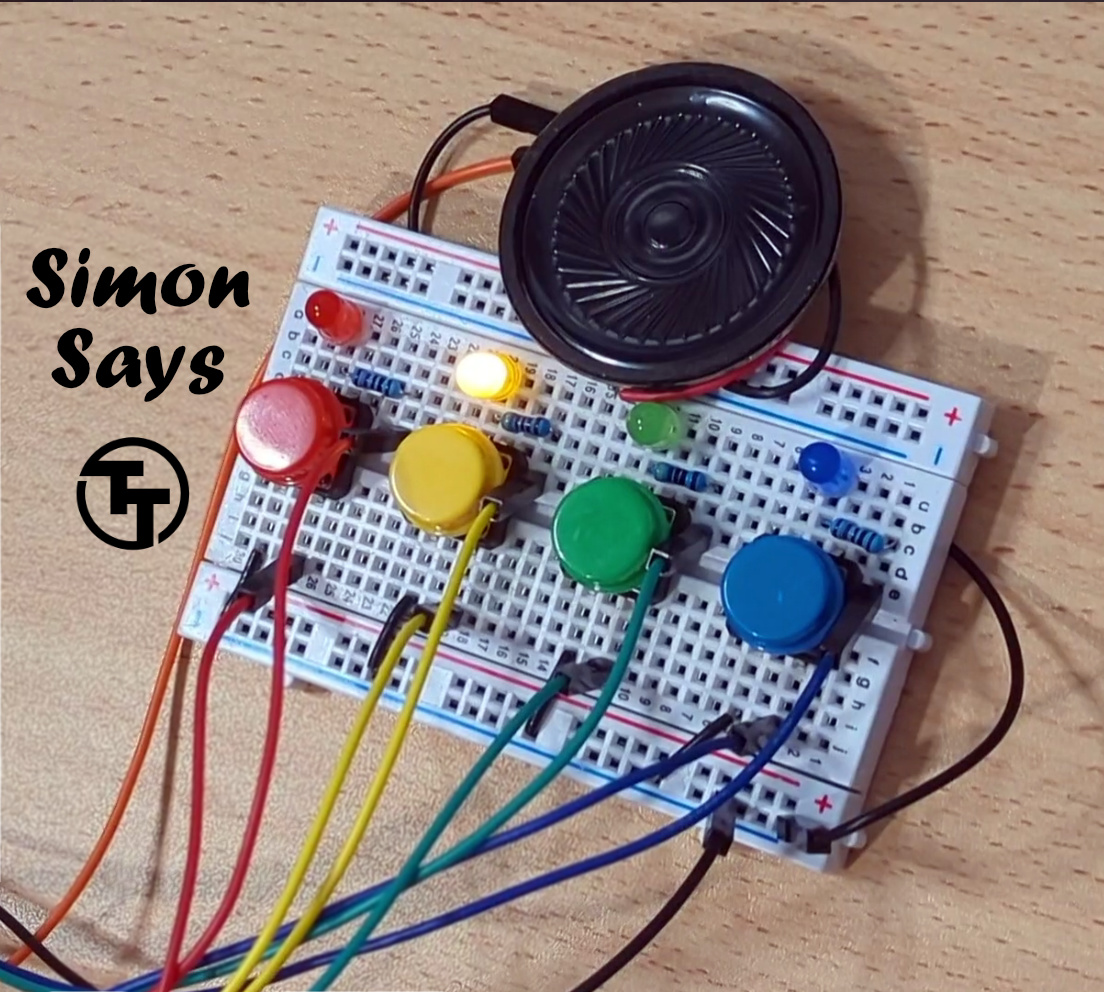
Simon says is a simple electronic memory game: the user has to repeat a growing sequence of colors. The sequence is displayed by lighting up the LEDs. Each color also has a corresponding tone.
In each turn, the game will play the sequence, and then wait for the user to repeat the sequence by pressing the buttons according to the color sequence. If the user repeated the sequence correctly, the game will play a "leveling-up" sound, add a new color at the end of the sequence, and move to the next turn.
The game continues until the user has made a mistake. Then a game over sound is played, and the game restarts.
Check out the online simulation at https://wokwi.com/projects/408757730664700929 (including wiring diagram).
Clock settings
The clk_sel input selects the clock source:
0: external 50 KHz clock, provided through theclkinput.1: internal clock, generated by thering_oscmodule, at ~50 kHz (to be confirmed on TTGF26a silicon).
The internal clock is generated by a 13-stage ring oscillator (~101 MHz in GF180 SPICE at 3.3 V), divided by 2048 to land near 50 kHz, matching the external-clock path. The divide ratio will be confirmed against the post-layout PEX and silicon.
When using the internal clock, its signal is also output on the uo_out[7] pin for debugging purposes.
How to test
Use a Simon Says Pmod to test the game.
Provide a 50 KHz clock input, reset the game, and enjoy!
If you don't have the Pmod, you can still connect the hardware manually as follows:
- Connect the four push buttons to pins
btn1,btn2,btn3, andbtn4. Also connect each button to a pull down resistor. - Connect the LEDs to pins
led1,led2,led3, andled4, matching the colors of the buttons (soled1andbtn1have the same color, etc.). Don't forget current-limiting resistors! - Connect the speaker to the
speakerpin (optional). - Connect the seven segment display as follows:
seg_athroughsev_gto individual segments,dig1to the common pin of the tens digit,dig2to the common pin of the ones digit. Setseginvaccording to the type of 7 segment display you have: high for common anode, low for common cathode. - Reset the game, and then press any button to start it. Enjoy!
External Hardware
Simon Says Pmod or four push buttons (with pull-down resistors), four LEDs, and optionally a speaker/buzzer and two digit 7-segment display.
IO
| # | Input | Output | Bidirectional |
|---|---|---|---|
| 0 | btn1 | led1 | seg_a |
| 1 | btn2 | led2 | seg_b |
| 2 | btn3 | led3 | seg_c |
| 3 | btn4 | led4 | seg_d |
| 4 | seginv | speaker | seg_e |
| 5 | dig1 | seg_f | |
| 6 | dig2 | seg_g | |
| 7 | clk_sel | clk_internal |