801 Frogger
801 : Frogger
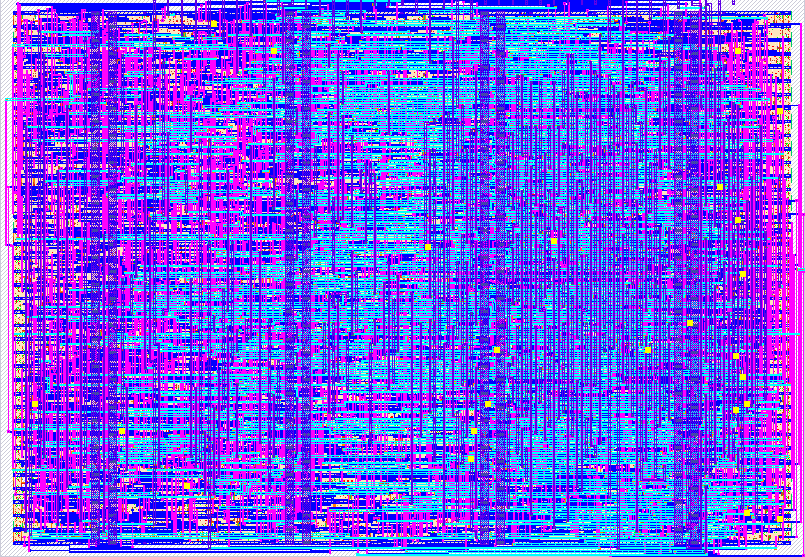
- Author: Jack Thoene
- Description: Frogger-style VGA scene with Psychogenic gamepad PMOD input
- GitHub repository
- Open in 3D viewer
- Open in Tiny Tapeout Explorer
- Open in VGA Playground
- Clock: 25175000 Hz
How it works
Frogge is a hardware Frogger clone — synthesizable Verilog, no framebuffer, no multipliers or dividers, all graphics drawn procedurally per pixel at the 640×480 @ 60 Hz VGA pixel clock (~25 MHz).
The screen is partitioned vertically into 15 rows of 32 pixels:
| Rows | Zone | What's there |
|---|---|---|
| 0–1 | Header | Lives (green squares) and a 5-cell score bar |
| 2 | Goal | 5 lily-pad slots |
| 3–5 | River | 3 lanes of drifting logs (varying speeds/directions) |
| 6 | Median | Safe grass |
| 7–9 | Road | 3 lanes of cars (red / yellow / purple) |
| 10–14 | Start | Safe grass — frog spawns here |
Each road and river lane has its own 7-bit scroll offset register that ticks
once per frame (vsync edge ≈ 60 Hz). Lane direction and speed are baked into
the increment constant. Obstacle position is computed combinationally per
pixel as (pix_x + offset) & 0x7F, so a lane is just a wrap-around 128-pixel
period of car/log + gap.
Collision detection looks up the lane offset for whichever row the frog is currently in and compares against the same period mask, with an 8-pixel grace window so partial overlap with a log still counts as "safe". On the river, the frog drifts horizontally at the lane's signed speed when it's standing on a log.
The game FSM has four states: PLAY, DEAD (40-frame death animation), WIN (60-frame celebration when all 5 pads are filled), and OVER (held until reset or Start).
Audio is a 16-bit phase-accumulator DDS feeding a 1-bit square-wave output
on uio[7]. Three SFX (hop blip, death warble, goal jingle) are selected by
event flags from the game FSM and frame-timed for duration.
The Psychogenic Gamepad PMOD on ui[6:4] is the primary input; if no
gamepad is detected, ui[3:0] work as direct up/down/left/right buttons.
How to test
In simulation: cd test && make runs the cocotb VGA-timing smoke test.
In a browser: open vga-playground.com/?preset=gamepad,
replace the project.v tab with src/project.v, and click the gamepad icon
above the display to enable the on-screen controller. Hop with the D-pad,
hit Start to restart.
On hardware:
- Plug a Tiny VGA Pmod into the
uo_outheader and connect to a monitor. - Plug the Psychogenic Gamepad Pmod into
ui_in[6:4](Latch / Clock / Data). - (Optional) Plug the TT Audio Pmod into
uio[7]for sound. - Hold reset, release, and play. The score bar (top-right) advances by one cell per filled lily pad; when all 5 are filled the screen flashes yellow. Three deaths shows the red game-over band — press Start to restart.
If no gamepad is attached, wire pushbuttons (or a logic analyzer) to
ui_in[3:0] to control direction.
External hardware
- Tiny VGA Pmod on
uo_out[7:0]— 6-bit color + hsync/vsync - Psychogenic Gamepad Pmod on
ui_in[6:4]— SNES-compatible serial controller - TT Audio Pmod on
uio[7]— 1-bit PWM speaker output (optional)
IO
| # | Input | Output | Bidirectional |
|---|---|---|---|
| 0 | R1 | ||
| 1 | G1 | ||
| 2 | B1 | ||
| 3 | VSync | ||
| 4 | gamepad_latch | R0 | |
| 5 | gamepad_clk | G0 | |
| 6 | gamepad_data | B0 | |
| 7 | HSync | audio_out |